Automation & AIVisual flow builderYou imagine the journey.
You imagine the journey.
Your flows follow through.
Build visual customer journeys with branching logic, AI, connected tools, and thoughtful automated follow-ups.
14-day free trial · No credit card needed
Design the whole journey
START HEREChoose a trigger or describe the flow to AI01
MAKE THE CONNECTIONConnect messages, conditions, and actions02
KEEP IT MOVINGPublish the flow and manage its subscribers03
Thoughtful follow-up, mapped from beginning to end.
An example journey with visual flow builder
MAKE IT PART OF YOUR DAYA real task.
A real task.
A clear way forward.
A new lead asks about pricing. Build a sequence that shares information, waits for a reply, and branches to the next useful action.
Connect messages, conditions, and actions
Publish the flow and manage its subscribers
Thoughtful follow-up, mapped from beginning to end.
INSIDE WAPPZONE
See the journey take shape.
The visual flow builder, from your first trigger to the final step.
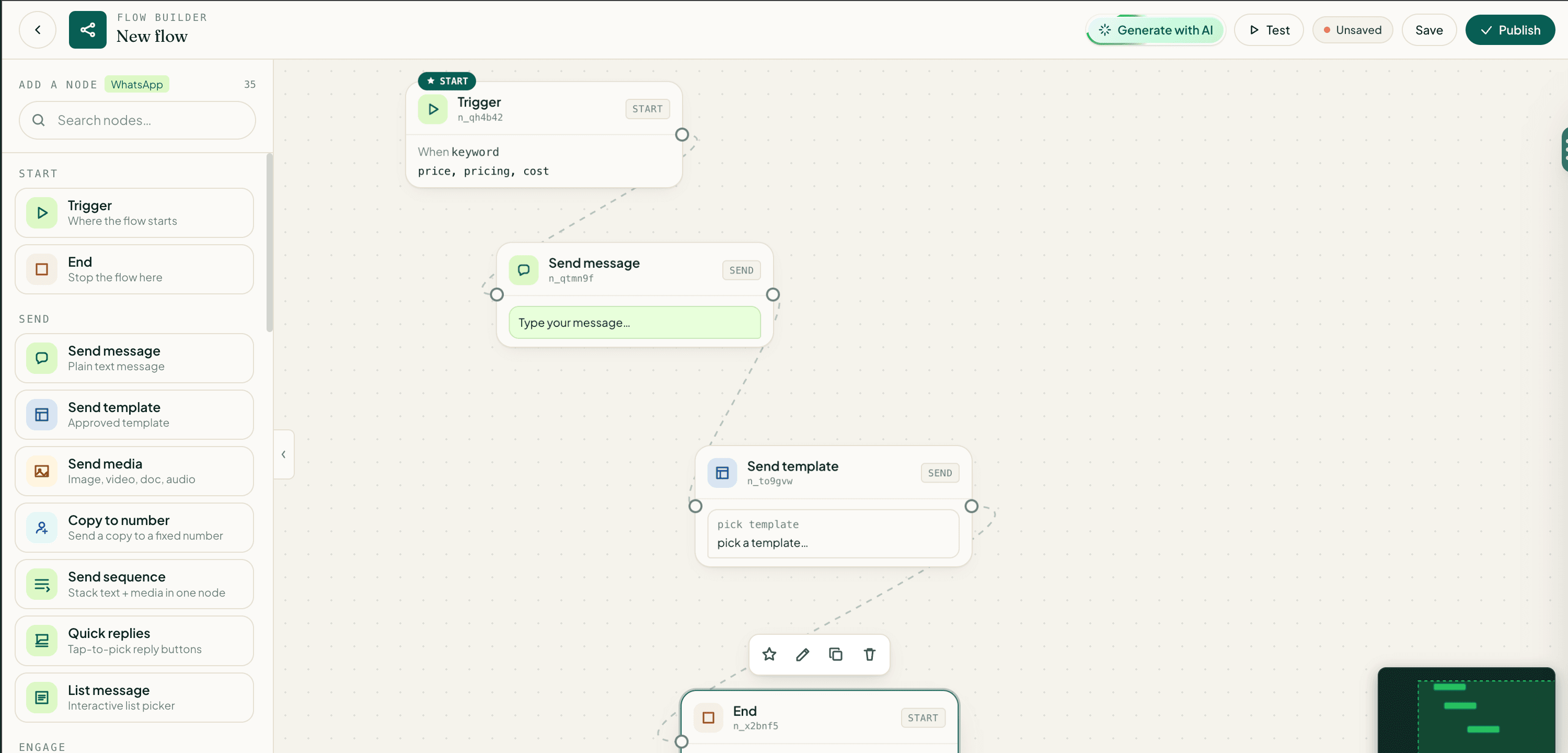
THE DETAILS THAT MAKE IT WORKSmall capabilities.
15capabilities to exploreSmall capabilities.
More possibilities.
Flow builder
React-based visual editor for multi-step sequences.
Flow actions
Send message, wait for reply, condition (text/field-match), delay, Google Sheets read/write/append, Google Docs query, Google Forms embed, book appointment, send catalog, request location, request media, share contact, tag contact, set attribute, flow jump, webhook call, AI responder, subscriber enroll / pause, broadcast message, campaign message.
Flow triggers
Manual enroll, tag added, group join, device/template activation, flow resume.
Subscriber management
Enroll / pause / resume, track status.
Subscriber list
Active/completed/failed counts per flow.
Flow categories
Marketing / support / sales.
Keep exploring: 9 more capabilities
Status filters
Live / paused / draft.
AI generation
Entire flow from natural language.
Flow duplication
Copy with new name.
Toggle active
Pause/resume without delete.
Publish / unpublish
Lock for production.
Media upload
Image/video for send-message nodes.
Device connection
Link to specific sending device.
Google picker
Browse Sheets / Docs / Forms in node config.
Commerce picker
Pick products for catalog nodes.
Can flows work with tools outside WappZone?
Flow actions include Google Sheets reads, writes, and appends, Google Docs queries, Google Forms, calendar booking, catalogs, and webhook calls. You can also use tags, custom attributes, AI responders, and flow jumps.
How does visual flow builder fit into my workspace?
Build visual customer journeys with branching logic, AI, connected tools, and thoughtful automated follow-ups. Feature access depends on your selected plan and connected services. Check the pricing page or talk to our team about your setup.
YOUR NEXT POSSIBILITYPut visual flow builder
Put visual flow builder
to work for your team.
Start a workspace, bring your team, and make the next connection.